

What’s New
A steady stream of YNAB’s notable improvements for your reading pleasure. Grab some tea. Cozy up with a Snuggie® and enjoy.
Sign up for monthly updates!
You don't wanna miss a thing. That's from a song, isn't it? We send a monthly Round Up via email, so get yourself signed up and you'll always know what's going on, big or small.
Sneak Peek: The New Way to Assign
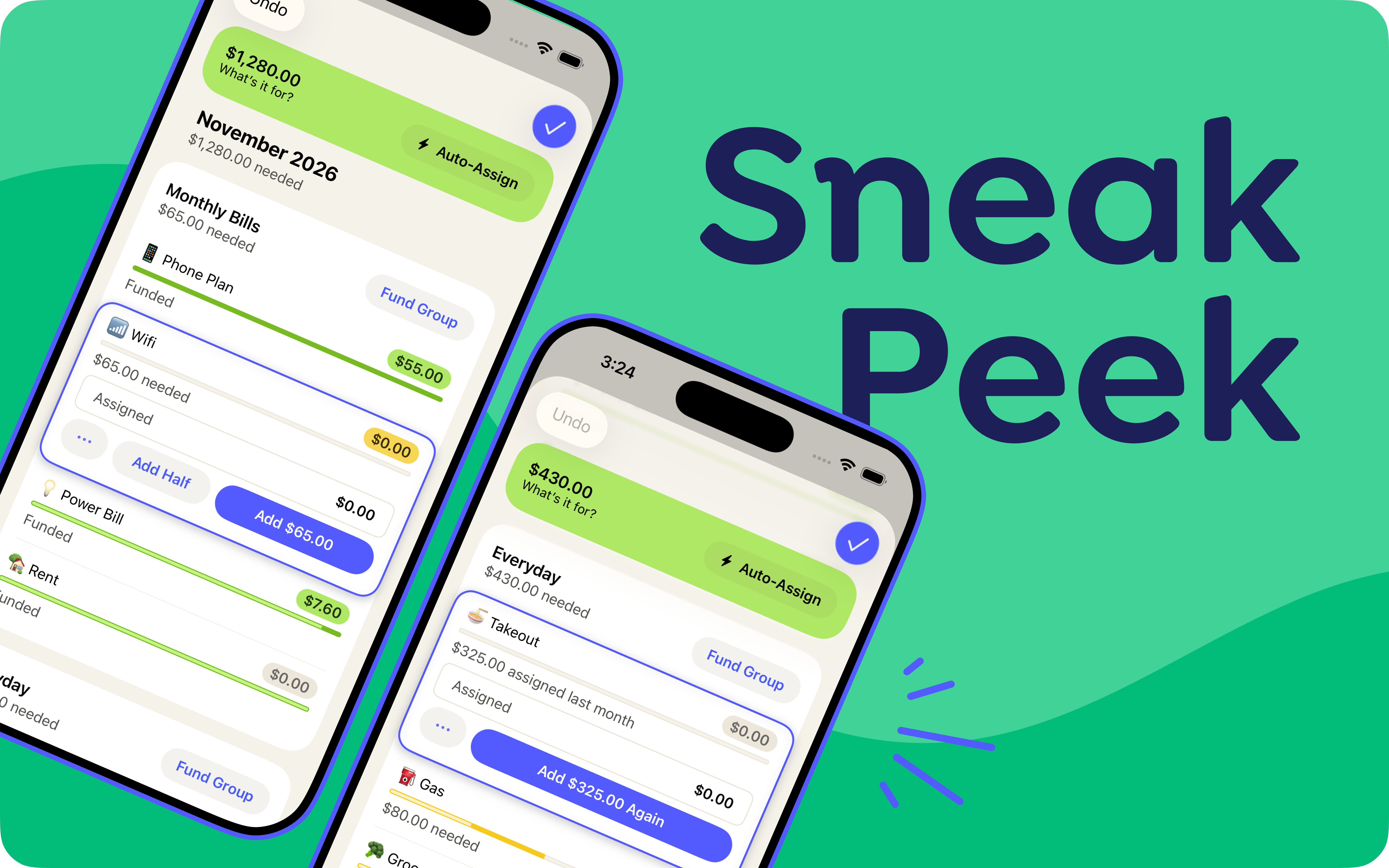
Preview the new assign mode before it comes to everyone. Whether you fly through assigning or like to take your time, the new assigning experience brings you even more tools for deciding what your money is for—including some common feature requests: Auto-assign by group, Add Half, Undo in Assign Mode, plus fixes for the small hiccups we’ve seen via countless live usability studies.
So go on! Assign your money, your way. Go category by category, or fund a group in one tap. Knock out your bills, then take your time dialing in Dining Out. Add half now, half at your next paycheck. Use targets on everything, assign the average amount, or bask in the glory of typing each assignment by hand. Get through the week, or assign three months out, all in the same place.
This is a feature preview! We know you've built habits and preferences over the years, so we've made it easy to share feedback right in the app—and we want to hear from you. We’ll be testing this over the next couple of months. In the meantime, you can switch between new and classic assign mode anytime.


Pocket Change
Here's what else has changed in YNAB since our last post:
- [Web, iOS, Android] | Imported transactions now get a simplified payee name only when your bank connection sends the raw bank description. Payee names that your connection already cleaned up stay as they are.
- [iOS] | U.S. YNABers can now buy a YNAB gift subscription right from the Share YNAB hub. Tap Gift YNAB and finish the purchase without leaving the app.
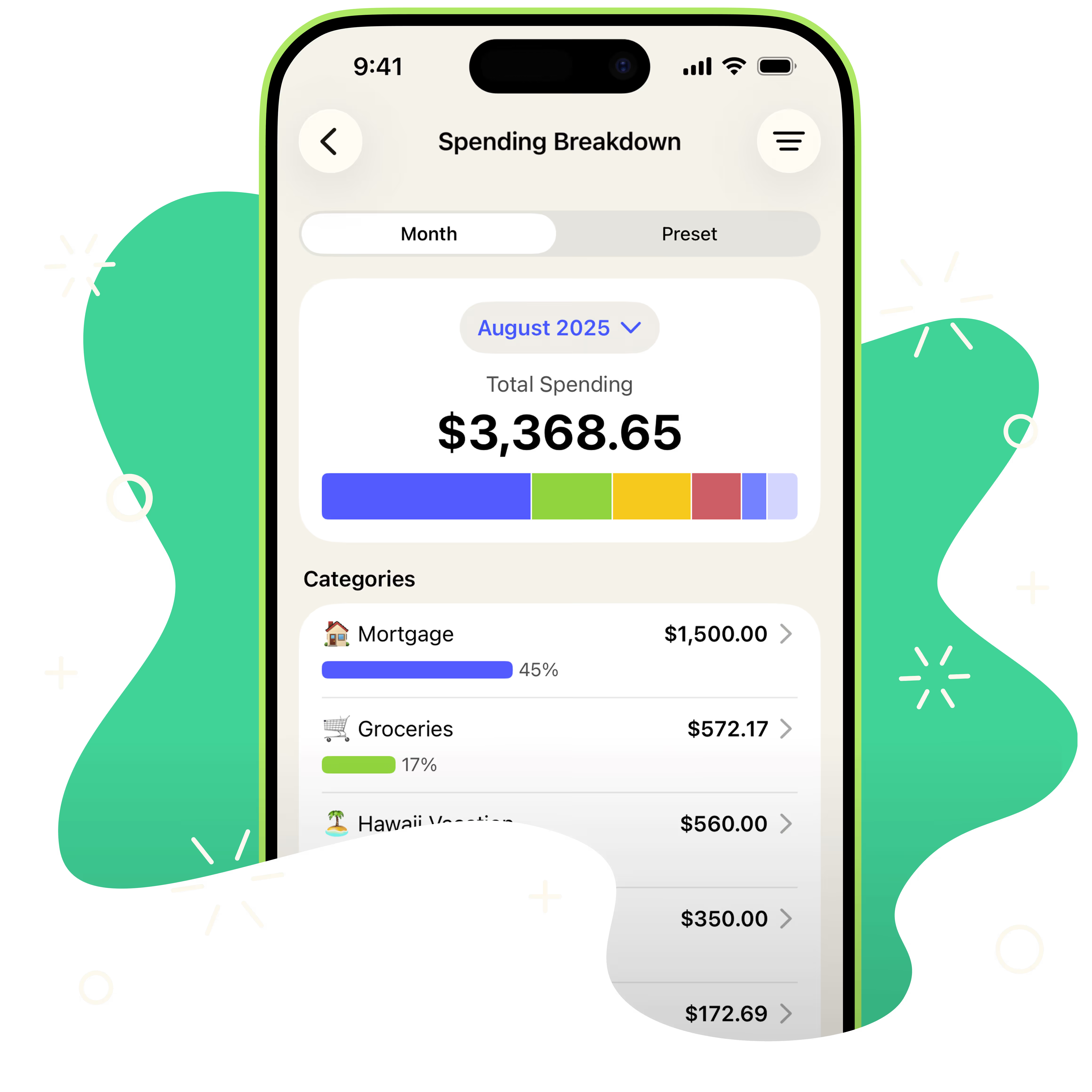
- [iOS, Android] | The Spending Breakdown filter now has a search field, plus Select All and Deselect All options in the more menu.
- [iOS] | We fixed a bug where the calendar jumped back to the current month if you scrolled while picking a date for a new transaction.
- [iOS] | In card view, a transfer between two tracking accounts now shows a Transfer label instead of "Category not needed."

Your Plan, Unfolded
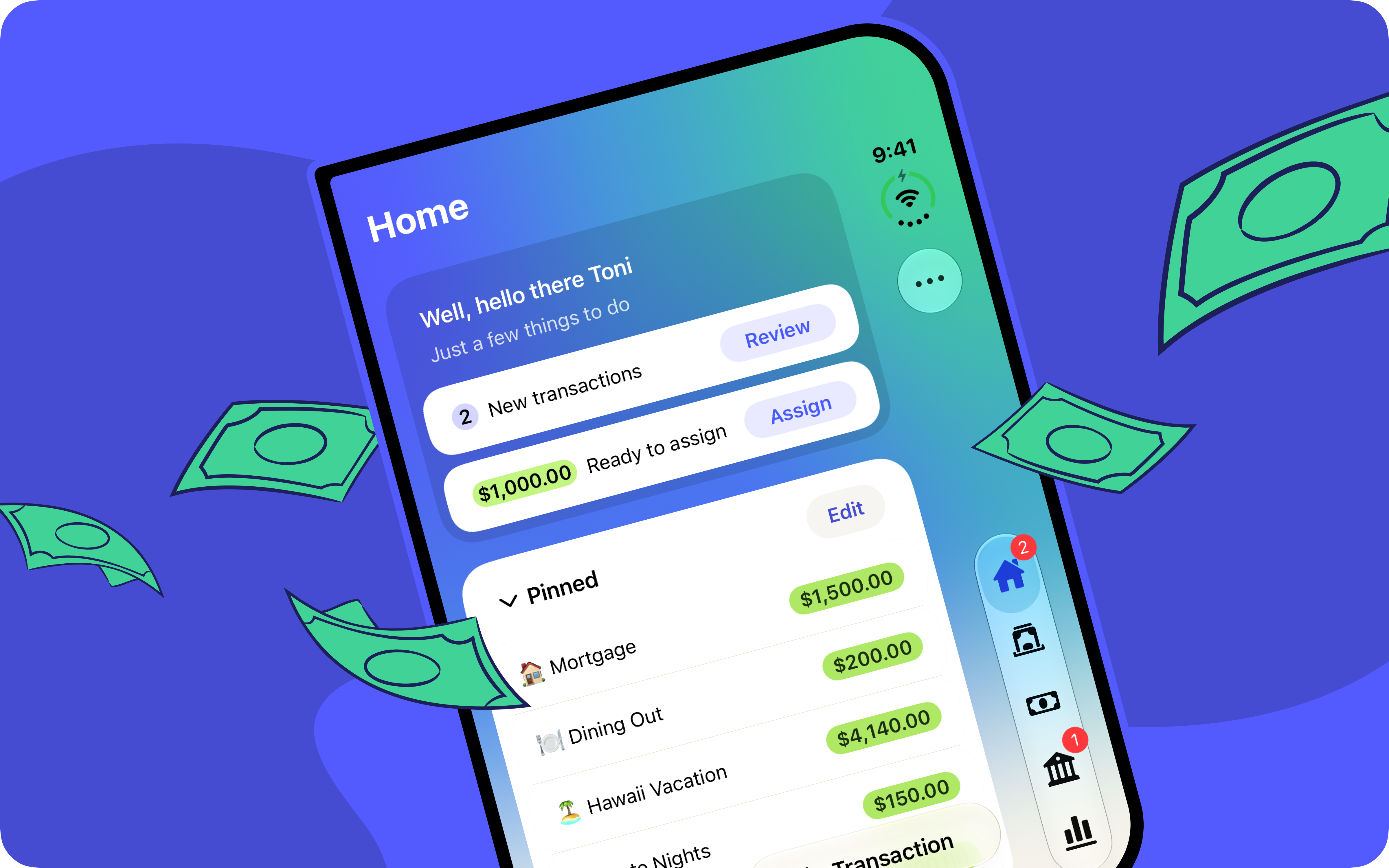
Got a shiny new iPhone Duo? Well, your plan is ready to unfold right along with it!
We’ve tuned up the app so both the outer screen and larger inner display are ready to showcase your plan. Screens stretch edge to edge, controls are perfectly placed and accessible in the sidebar, and more space means more information available to you all at once. And if you decide to fold things up halfway through your planning session, your keypad will fold right along with you.
It’s your plan, with even more room to decide what your money is for.
Pocket Change
Credit Card Interest Made Simpler (and Kinder)
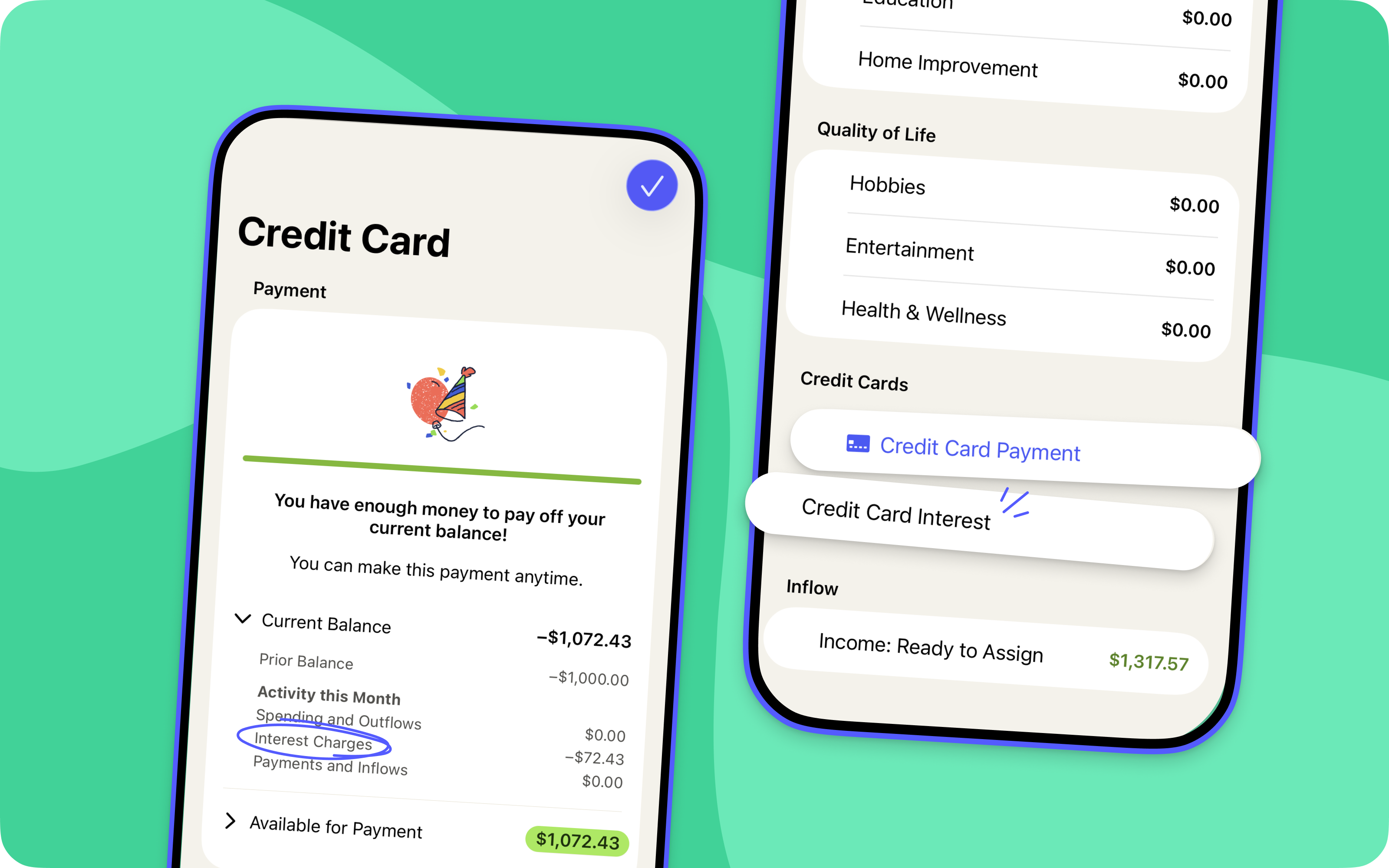
It used to be that YNABers who couldn't pay off their credit card interest right away would see, month after month, an overspent interest category. Not helpful. Now, credit card interest will no longer show in your plan as if it were simply an underfunded spending category like groceries.
Tap your Credit Card Payment Category details to see any transactions related to interest and what that card cost you in interest this month. There, you'll also be nudged to set up a target to pay off the interest.
When categorizing a transaction, simply select Credit Card Interest so that the credit card interest stays out of your spending plan. We've already heard from YNABers that this streamlines the process of tracking credit card interest and eliminates guilt around not paying off the balance in full each month.
Pocket Change
Here's what else has changed in YNAB since our last post:
- [iOS] | Fixed a bug where a transfer's cleared status wouldn't update because we couldn't find its counterpart transaction.
- [Android] | We fixed a crash that could happen when searching transactions with filters including >=0.
- [Web] | Account registers now have a "Last Month" date-range preset in View Options, so you can filter to the previous calendar month with one click.
Extended Trials for the Friends You Refer

Now, when you share YNAB with a friend and they sign up using your referral link, they’ll get a 6-week free trial instead of 34 days. Why the extra days? Because we’ve heard from so many of you that the thing you want most in a referral program is more time for your friends to catch the bug!
So send your unique link to your roommate, your sibling, your coworker who keeps asking how you always seem to have money for that next trip. Who knows? It might be exactly what they need to become a lifer. 💸
Pocket Change
Meet Card Mode: Transactions Meant to Be Swiped
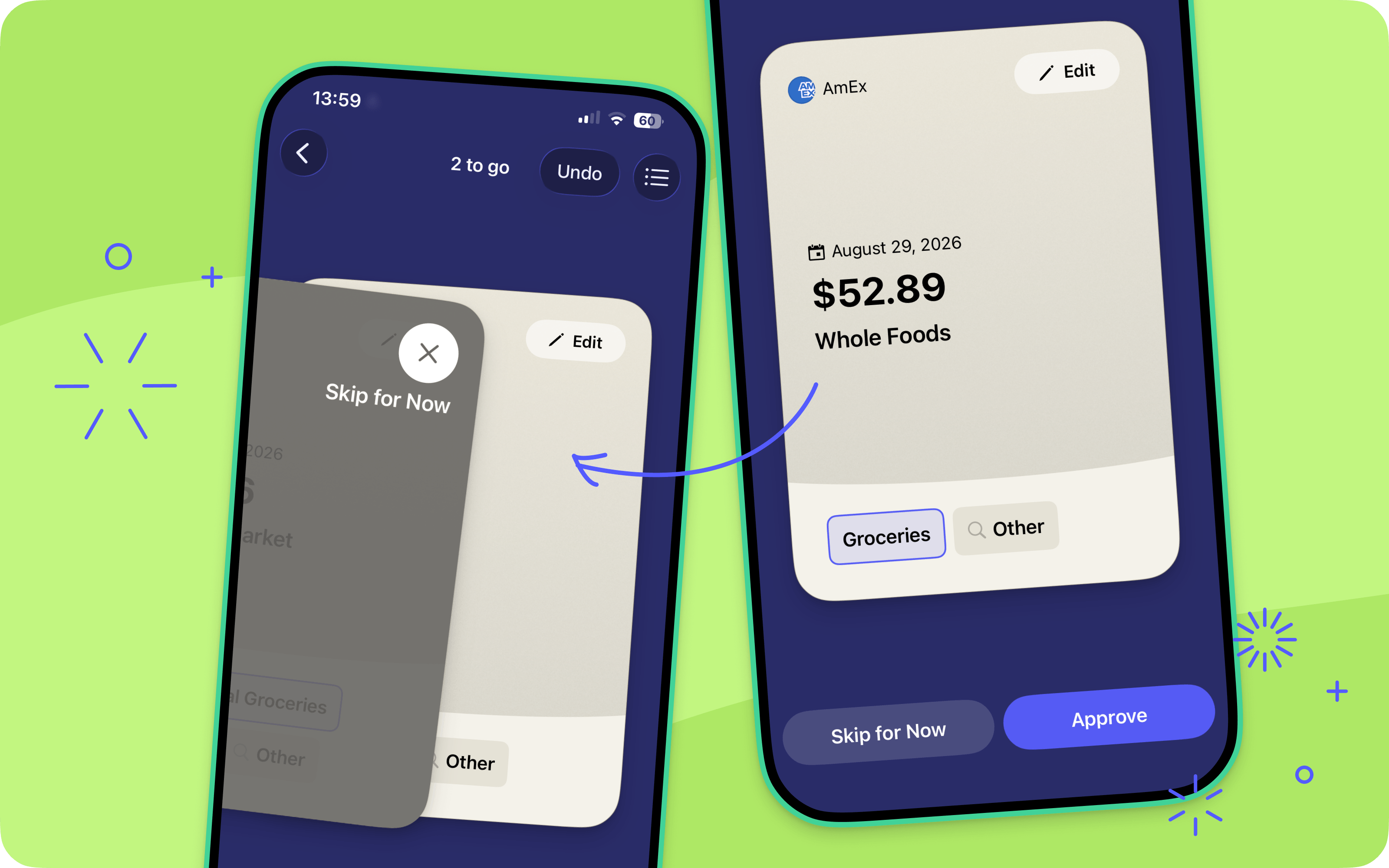
Say hello to Card Mode, the swipe-based way to meet your transactions one at a time. Swipe right to approve the ones that are good to go, and left to skip ones that need further review. Not a swiper? The Approve and Skip For Now buttons are there for you. Or, you can tap the toggle to switch back to the classic list mode. We’ll remember your selection for next time.
Swipe past a transaction by accident? It’s just one tap to undo. And once you’ve cleared the queue, we’ll help you cover any overspending and revisit the transactions you skipped. We’ve also updated the transaction entry screen so when you tap to see the full transaction details, you’ll see all the information you need. It's transaction review reimagined and more satisfying than ever.
Pocket Change
Give Your Priorities a Reset
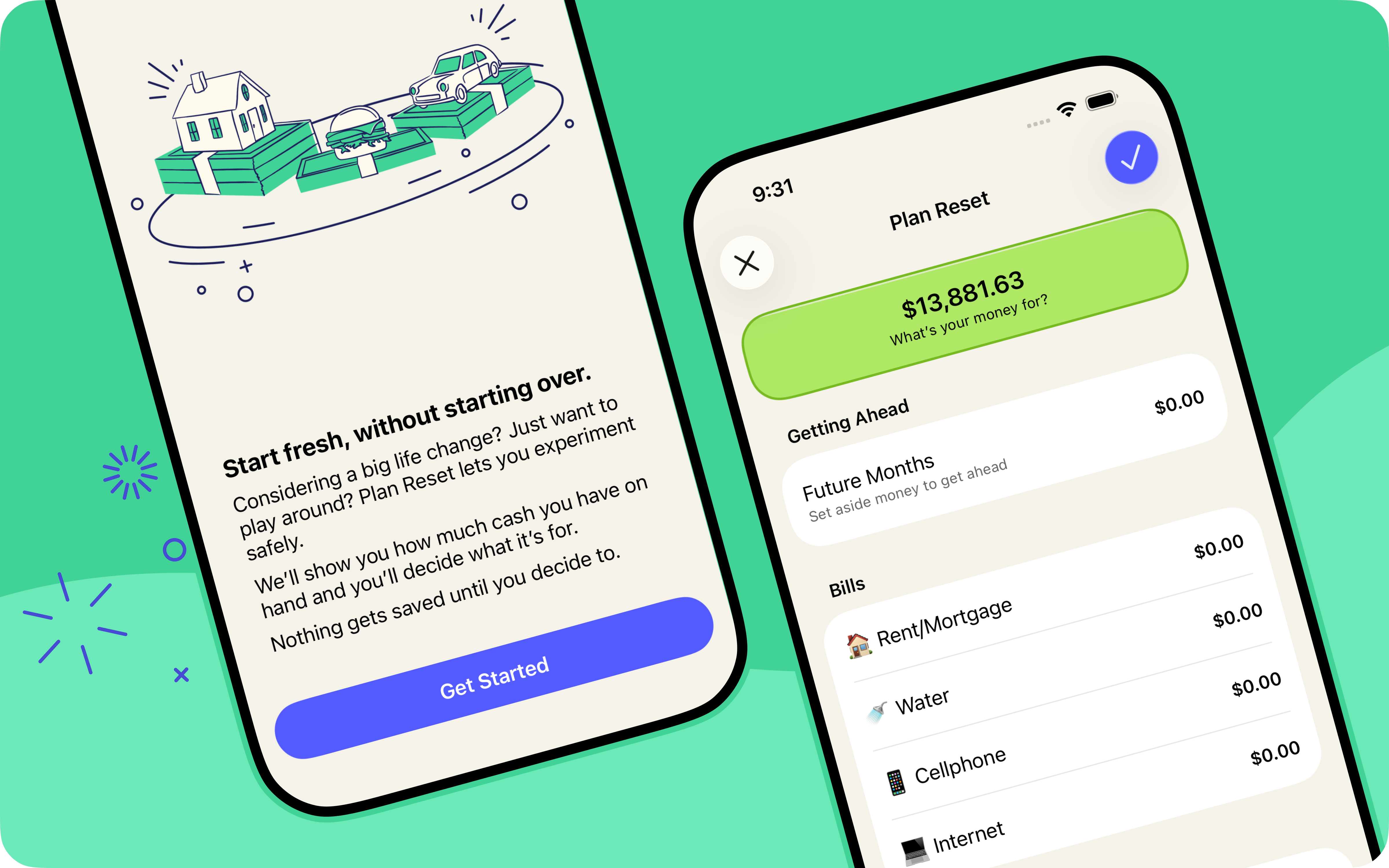
What’s your money for? It’s the most important question YNAB will ever ask you. But life moves fast—routines shift, new school years begin, and the answer you gave a few months ago might not be the one you’d give today. Enter: Plan Reset!
Plan Reset helps you update your answer to "What's it for?" without starting your plan from scratch. It pulls every available dollar back to Ready to Assign, so you can answer the question fresh, category by category. And it's built to be low stakes: nothing is saved until you say so and you can always undo it if you change your mind. Plan Reset only moves money you haven't spent yet, so no category is left overspent. Once you've landed on your new priorities, update your monthly targets to keep them going forward. Think of it as a seasonal reset—a low-friction way to keep asking, "What's it for?"
Pocket Change
Here's what else has changed in YNAB since our last post:
- [iOS, Android, Web] We’ll now automatically recognize and link credit card payments with their checking-account counterpart, even when the payee renaming rule doesn’t yet exist.
- [iOS, Android, Web] Matched transactions are now approved automatically, so there's one less step when reconciling your accounts. And to help you figure out if a transaction was matched with a previously entered one, we’ve also added a matched search filter on the web.
- [iOS, Android, Web] | We fixed an error that could leave you stuck when troubleshooting a lost bank connection.
- [iOS, Android] | The Plan tab got way fancier under the hood. Same tab, snappier feel.
- [iOS, Android] | Sharing has never been easier, or more rewarding! Go to the More menu >Share & Earn for quick access to referrals, gift subscriptions, and tips for sharing IRL.
- [iOS] | After credit card spending, a new "learn more" prompt can help you better understand how money moves from your spending category to your credit card payment category.
- [Android] | You can now share a referral with a QR code straight from the Share YNAB hub on Android—no link-copying or contact info needed.
- [Android] | Match details now have a dedicated screen, allowing you to review matched transactions with more focus.
- [Android] | When making a transfer to a loan account that has a paired category, the app now makes it clearer from the start that you must use the paired category.
- [Web] | Progress bars have a fresh new look that matches the mobile apps.
- [Web] | Paying off a loan now kicks off a shareable celebration of your win.
File-Based Import, Elevated
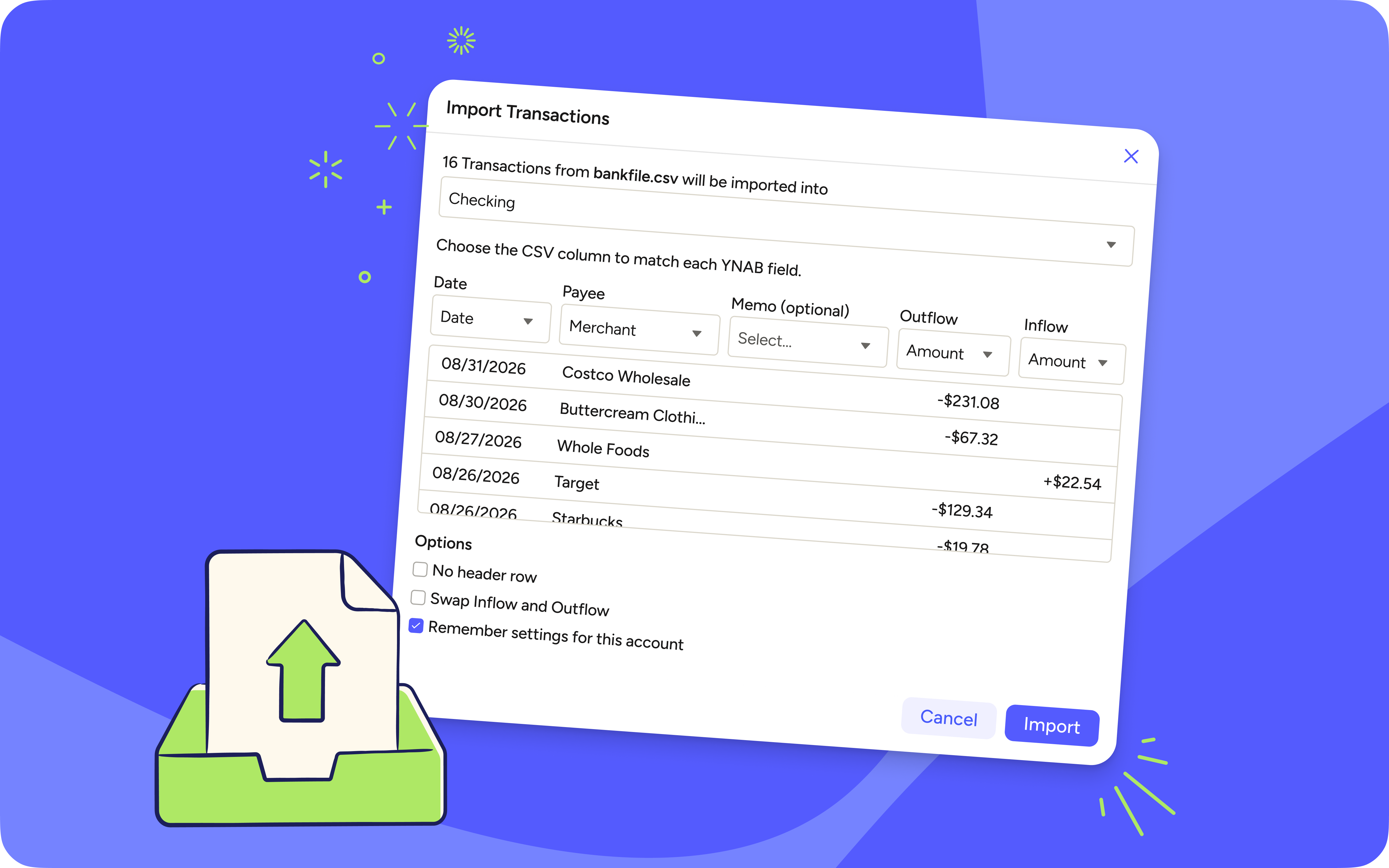
For years, File-Based Importing could be a bumpy ride. You’d download a CSV file of your transactions, detour through another tool to reformat it, then import the file into YNAB and start going through the transactions. You’d land on one and think, “What the heck is this? Where did I spend this money and which category should it go in?!” You're squinting at #1748Ottawa725CanadianTireABC132RandomOtherStringsOfNumbersAndLetters when really it should just say Canadian Tire.
Well, those days are finally over! File-based import has never been smoother with the addition of a built-in CSV converter and the same logic that powers Direct Import, including upgraded payee-renaming and auto-categorization rules. That means fewer mumbo-jumbo payees, more transactions landing in the right category, and a faster trip through your register from start to finish.
Pocket Change
Here's what else has changed in YNAB since our last post:
- [Web, iOS, Android] | A single, one-off recategorization won't change a payee's usual category. Instead, the default category will only change when 2 of the 3 most recent transactions agree on a different category.
- [iOS] | New payee names are back to auto-capitalizing when you add them to a transaction, so Your Local Yarn Shop gets the respect it deserves!
- [Web] | We've moved the pending transaction clock icon in line with the cleared/uncleared icons, bringing web in line with how mobile already works.
- [Web] | CSV files that use semicolons as the separator can now import without errors.
Categorization that Matches Your Habits
You buy a gift card at the grocery store, recategorize that one transaction to "Gifts," and *poof!* the next grocery run lands in "Gifts" too. For years, YNAB's auto-categorization ran on "last category wins," which meant a single one-off could quietly hijack a payee you'd been categorizing the same way for months.
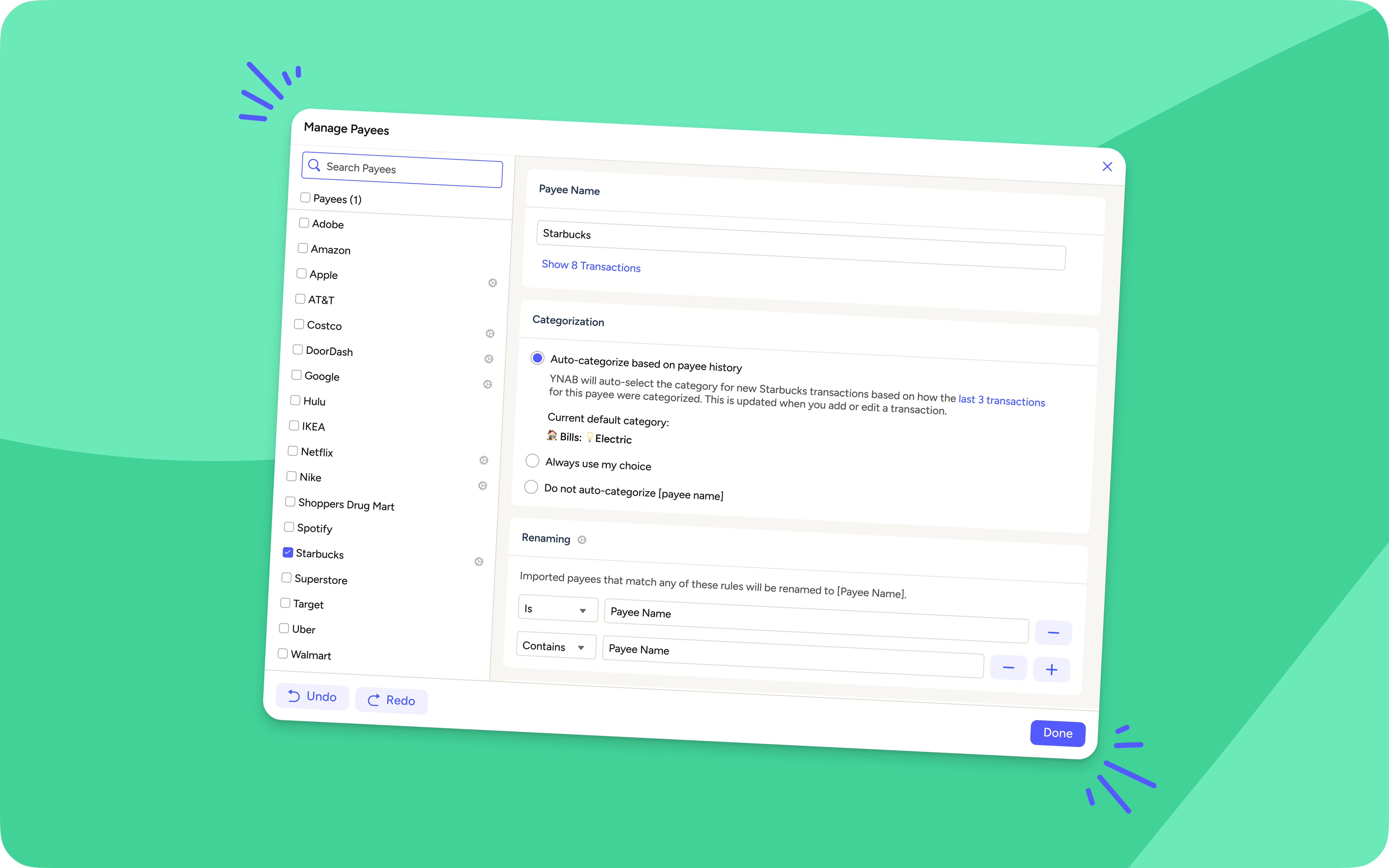
No more! Auto-categorization now waits for evidence before it changes its mind. Your payee keeps its established default until two of the three most recent categorizations agree on something new. Want to skip the guesswork entirely? Set your own default category for any payee instead using Manage Payees on the web, and YNAB's two-of-three logic steps aside and does exactly what you told it to. Don’t want a payee to auto-categorize at all? That’s an option too.
And while we were at it, we gave Manage Payees a fresh coat of paint on the web app. It's roomier and easier to scan, so finding a payee and adjusting how it categorizes is a more pleasant place to spend thirty seconds.
Pocket Change
Credit Card Payments Have Met Their Match
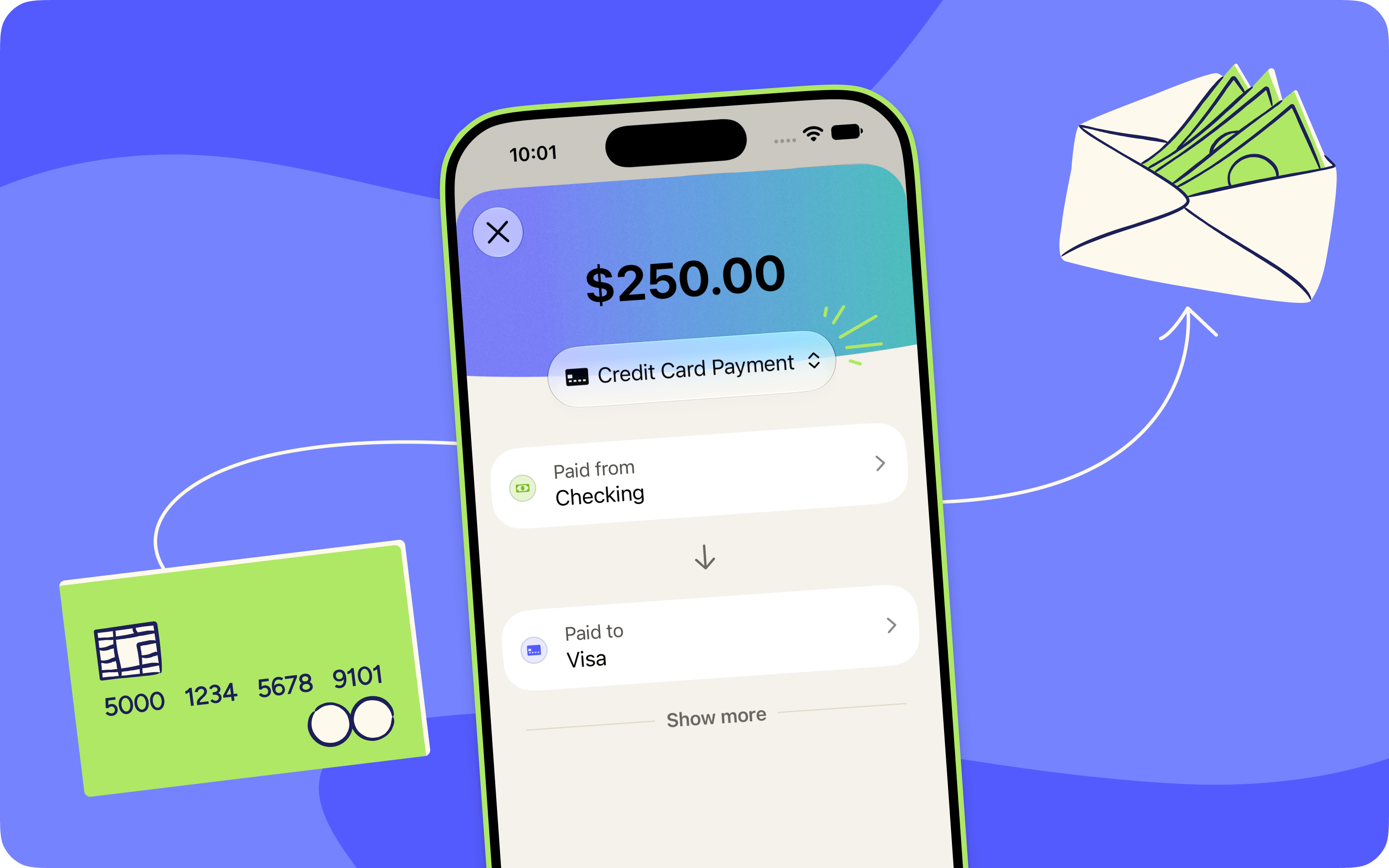
When you make a credit card payment, two transactions are imported: the money leaving your checking account and the payment posting to your credit card account. And connecting them used to be your job. YNAB needed a payee rule to link the two, and if you hadn't set one up yet, those transactions just sat there, waiting to be connected to their counterpart.
Now they can find their true match on their own! If the amounts line up within a few days and everything else we know about the two transactions agrees they belong together, we’ll link them for you. No rule required.
And that amount-matching solves a subtler headache, too. If you have two cards at the same bank, there's a good chance payments for both import under the same payee name. You know, something helpfully specific like AUTO PAYMENT THANK YOU. One payee name, two cards, and a rule that can only ever point at one of them. Now YNAB notices when a payee name is ambiguous, sets the rule aside, and matches by amount instead. The payment lands where the money actually went.
Read more about the thinking that went into making credit card payments smarter.
Pocket Change
Here's what else has changed in YNAB since our last post:
- [iOS, Android] | We fixed a bug so paired loan categories now show up in your Spending Breakdown filters on mobile.
- [iOS, Android] | Mobile now respects your payee's auto-categorize toggle and default category, matching web.
- [iOS] | We fixed a bug that was causing Auto-Assign to sometimes show all zeroes in cases
- [iOS] | You can now share a referral with a QR code straight from the Share YNAB hub on iOS—no link-copying or contact info needed.
- [iOS] | Hit a net worth milestone? Share an image of your Net Worth progress right from the Reflect tab.
Apple Subscribers Can Now Refer a Friend

It’s a win-win for Apple subscribers: When you refer a friend and they subscribe, you’ll both earn a free month. Grab your unique referral link from the three dot “More” menu and claim your bonus month right in the iOS app. Good friends don’t keep secrets, especially how to get good at money.
Pocket Change
