

Sneak Peek: The New Way to Assign
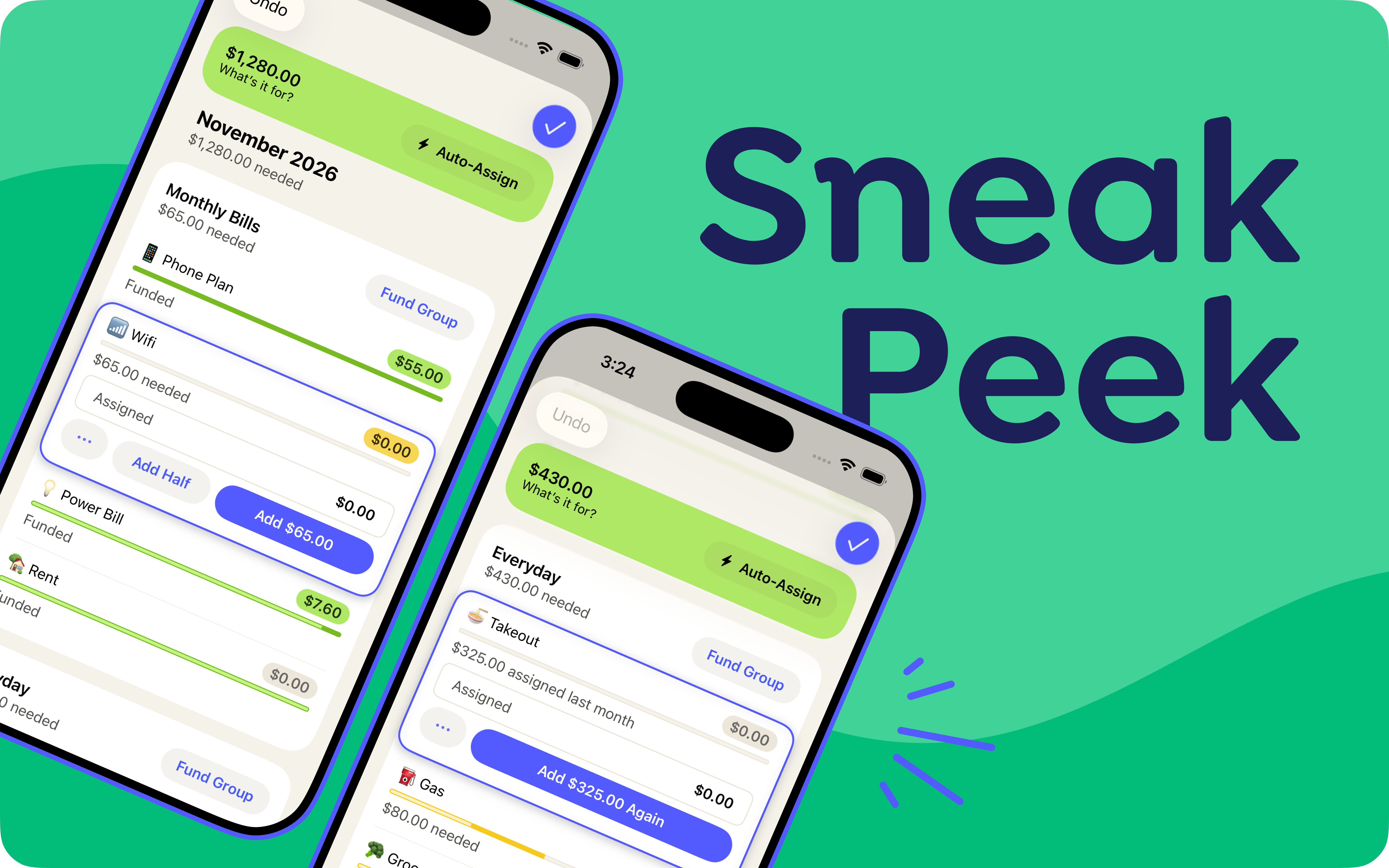
Preview the new assign mode before it comes to everyone. Whether you fly through assigning or like to take your time, the new assigning experience brings you even more tools for deciding what your money is for—including some common feature requests: Auto-assign by group, Add Half, Undo in Assign Mode, plus fixes for the small hiccups we’ve seen via countless live usability studies.
So go on! Assign your money, your way. Go category by category, or fund a group in one tap. Knock out your bills, then take your time dialing in Dining Out. Add half now, half at your next paycheck. Use targets on everything, assign the average amount, or bask in the glory of typing each assignment by hand. Get through the week, or assign three months out, all in the same place.
This is a feature preview! We know you've built habits and preferences over the years, so we've made it easy to share feedback right in the app—and we want to hear from you. We’ll be testing this over the next couple of months. In the meantime, you can switch between new and classic assign mode anytime.


Pocket Change
Here's what else has changed in YNAB since our last post:
- [Web, iOS, Android] | Imported transactions now get a simplified payee name only when your bank connection sends the raw bank description. Payee names that your connection already cleaned up stay as they are.
- [iOS] | U.S. YNABers can now buy a YNAB gift subscription right from the Share YNAB hub. Tap Gift YNAB and finish the purchase without leaving the app.
- [iOS, Android] | The Spending Breakdown filter now has a search field, plus Select All and Deselect All options in the more menu.
- [iOS] | We fixed a bug where the calendar jumped back to the current month if you scrolled while picking a date for a new transaction.
- [iOS] | In card view, a transfer between two tracking accounts now shows a Transfer label instead of "Category not needed."

