.svg)
.png)
Who Moved the Money?
February 25, 2026
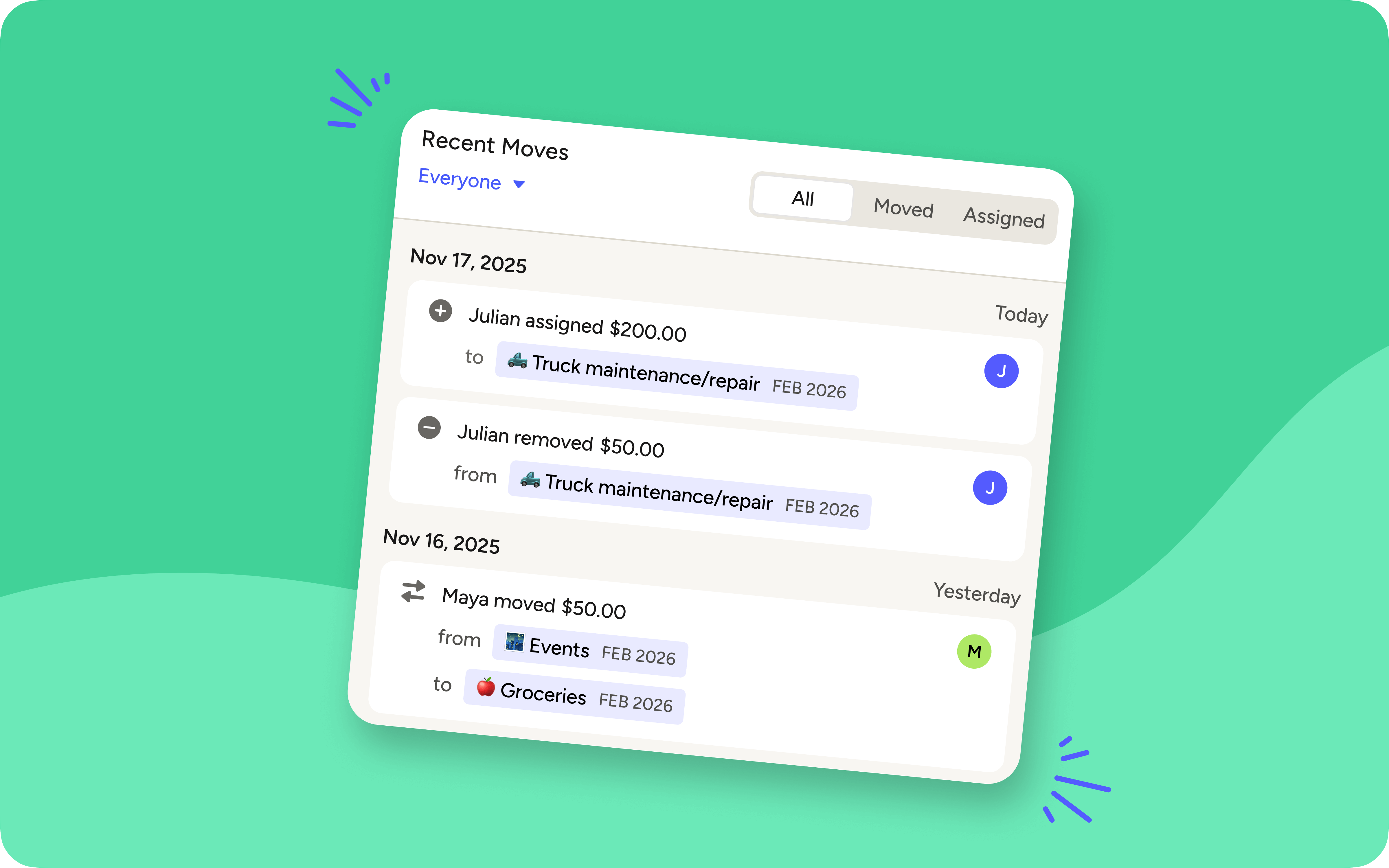
Has your partner ever asked about a recent money move in YNAB and, like Steve Urkel in the early 90s, you wonder “Did I do that?” With today’s update, you never have to wonder again!
Now in the web app, every member of your YNAB Together plan will have an avatar showing their first initial . When you click the Recent Moves button at the top of your plan, every move will include the name and the avatar of the person who made that change to the plan. No more mysteries, no more sleuthing. Open Recent Moves and you’ll see that it was Colonel Mustard, in the Groceries category, with Auto-Assign.
%20(1).avif)

Pocket Change
Here's what else has changed in YNAB since our last post.
- [iOS] The bolder the better: Button text now displays properly when bold text is enabled on your device.
- [iOS] Smarter search, everywhere: The enhanced search feature from the Spending tab is now available across all account views.
- [iOS] Find it faster: Changes you make in your spending plan now show up more quickly when using your iPhone’s system-wide search.
- [Web, iOS, Android] If your initial attempt to repair a bank connection fails, we’ll now prompt you with instructions to re-set your connection and get you back up and running in no time.
- [Web] Now, when you use the Big Box Links feature to access your Amazon order history from YNAB, we’ll scroll the page to the exact transaction you’re looking for.
- [Web] Recurring transactions now have a handy icon, so you can easily scan your account register to see what you’ve got on repeat.

Back to What's New
